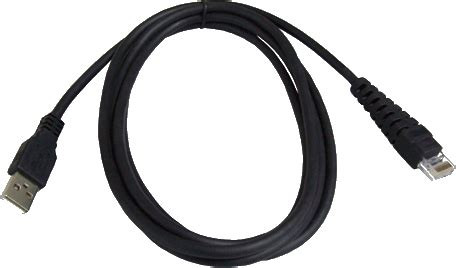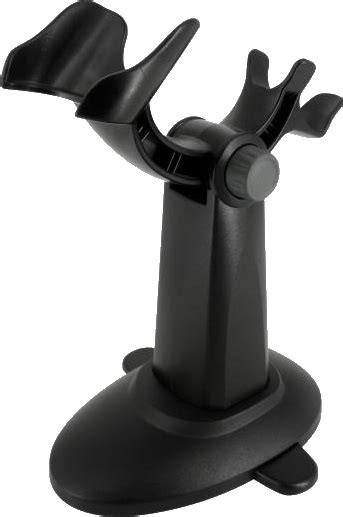

Cino FM480 – Fixed Mount Front View Linear Scanner (PCW-FM480-11F)
The FM480 is designed to meet the stringent demands of enterprise use. A product of Cino’s advanced engineering, this imager delivers rapid data captures on a variety of 1D barcodes and stacked symbologies.
Its durable housing offers IP54-level protection and guards the imager against inadvertent drops. Small in size, the FM480 can be easily mounted in narrow areas to yield exceptional scanning performance.
The Advantage:
- Built by Cino, with 35+ years of barcoding experience
- Up to 24″ on 100% UPC/EAN symbols and up to 34″ on 20 mil Code 39
- Easy operation and clear visual feedback
- Mounting holes for mounting on desks, counters, kiosks or conveyors
- Scans troublesome 1D barcodes
- IP54 sealing to suit harsh environments
Features:
- Small in size and easy to mount
- Durable housing with IP54-level protection
- Available with a front or side scan-window
- Supports external and serial triggers
- OK and NG output signals for accurate reading control
- “Test” mode offers assistance with scanner positioning
- Exceptional readings on 3 mil barcodes, with more than 3″ depth of field
- Up to 34″ reading range on regular barcodes
- High-speed scanning rate, up to 500 scans per second
- Superior reading performance on low contrast, soiled, or damaged barcodes
- Supports GS1 DataBar, PDF, and composite codes
Capture a Wide Range of Symbologies
This scanner is designed to capture a vast array of 1D and stacked symbologies, whether displayed on paper, plastic or digital screen. Stacked-linear barcodes that can be read by this scanner include PDF417, GS1 Databar Stacked, and composite codes.
Ready for Challenges
Empowered by the FuzzyScan imaging platform, this device can deliver up to 500 scans per second. It is also primed to read various challenging and problematic barcodes, such as low contrast, soiled, or damaged barcodes.
Scanner Positioning Support
“Test” mode helps users find the best angle and distance to position their device for optimal scanning results. When test mode is activated, the scanner will automatically perform a number of scans and output the ratio of successful reads. Different positions can thus be tested and compared to determine the most suitable one.
Practical Features
User-Defined Serial Trigger Command
Serial trigger commands can be defined by users in accordance with their system requirements, thereby lessening the impact of scanner integration on existing programs.
Useful Operation Modes
Five operation modes are available to help you fulfill various application requirements: “Trigger”, “Alternative”, “Level”, “Presentation” and “Force” modes. Each mode offers distinct functionalities that are designed to make your work easier. Under “Presentation” and “Force” modes, readings are performed automatically by the scanner when it detects barcode-like images. If the scanner is set to “Trigger”, “Alternative” or “Level” mode, scans will be initiated by an external trigger or serial trigger command.
Designed for Excellence
Small, Compact and Easy to Install.
Small and compact, this scanner is ideal for applications with space constraints. Its sturdy over-mold construction offers IP54-level protection and guards it against inadvertent drops. Furthermore, M3 mounting holes simplify installation by providing an easy way to secure the device.
Various Scan-Window and Interface Options
Space limitations will dictate the ways in which a piece of equipment can be mounted. To accommodate various integration needs, this scanner is available with either a front or side scan-window.
Space limitations will dictate the ways in which a piece of equipment can be mounted. To accommodate various integration needs, this scanner is available with either a front or side scan-window. A choice of interface cables is also offered: “USB”, “RS-232” or “Universal”. The “Universal” interface supports external triggers, as well as OK and NG outputs. Furthermore, it can be attached to USB or RS-232 converter cables with trigger wires.
Value Beyond Measure
Customized Functionalities
DataWizard Premium lets you write data or security scripts which can then be used to program Cino scanners for customized tasks. The script language is similar to BASIC and easy to learn for experienced programmers.
This exceptional feature is included in the FuzzyScan PowerTool and offered to Cino clients without extra charge.
Advanced Data Formatting
Data scripts can be used to configure your scanners for intricate formatting procedures that would otherwise be assigned to the host device. For example: parsing raw data captured from a driver’s license, adding prefixes or suffixes, and more.
System Security
Cino devices can be programmed via security scripts to participate in system protection. Set your host system to prompt scanners for an algorithm-generated key, and to refuse connection if such key is not provided. Develop a security script containing the said algorithm so that it may deliver the correct key. Install the security script on approved scanners only. This set-up will help prevent unauthorized scanners from connecting with the host system.
Integrate reliable barcode scanning with the Cino FM480 fixed mount scanner. Available in NZ from Ansutek.
Please Note: Specifications and options may vary and are subject to change without prior notice